
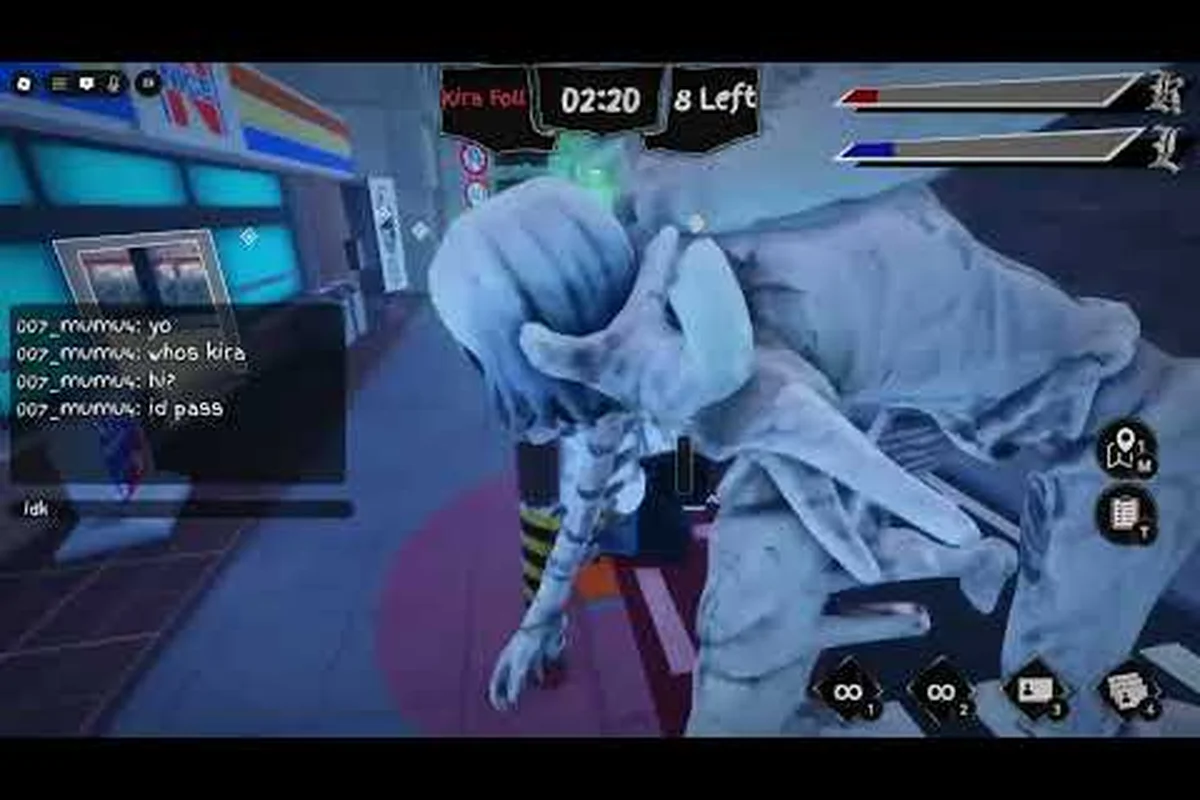
BloxNote task guide basics start with one idea: filling the shared task bar is how the Investigator team actually wins a round. According to the official BloxNote Roblox game page, the title is a Survival / 1 vs All social deduction experience built around the Death Note premise, where Kira and Kira Followers try to eliminate everyone while Investigators clear tasks to trigger a vote or victory. If you have ever watched a bar inch forward while a meeting gets called, you already understand why the BloxNote task meter matters more than any single role ability in the early game.
This BloxNote task guide breaks down how the meter fills, which BloxNote investigator tasks give the most progress, and the fastest routes new players can take to clear the bar before Kira closes the round. The advice here leans on community-tested patterns shared on the developer hub and on player reports, and it assumes you are running the most recent update (the page lists a most recent patch on September 12, 2026, with the release on September 4, 2026).
How the BloxNote Task Bar Works
The BloxNote task bar is the team-wide progress meter that Investigators push to win. When it reaches 100%, the team earns a meeting that often results in either a vote to remove a suspect or, in some matches, a direct Investigator victory. Because the bar is shared, every Investigator's task completion adds to the same pool, which is why coordination matters as much as speed.
Shared Meter, Not Individual Score
New players sometimes assume each Investigator has a private task list, similar to Among Us. BloxNote uses a shared model instead. The BloxNote task meter reflects the combined output of every alive Investigator, which means a single fast player can carry a slow team, while a quiet lobby where nobody commits will leave the bar flat for the entire round. The meter does not reset when someone dies, but dead Investigators obviously stop contributing, so survival pressure directly converts into task pressure.
According to the developer group page for fearless horror games, the task system is intentionally tuned so that Kira's kill cooldown roughly matches an Investigator team's expected fill rate, which keeps rounds competitive rather than one-sided. That balance is why a dedicated task runner often decides the round more than any individual deduction play.
When the Bar Triggers a Meeting
| Fill Threshold | Event Triggered | Strategic Implication |
|---|---|---|
| 0–25% | Quiet phase, no meeting | Safe window to start long tasks |
| 25–50% | First soft "hunt" pressure | Kira becomes more aggressive |
| 50–75% | Mid-round tension | Emergency meetings start to matter |
| 75–99% | Critical zone, one mistake ends the round | Stay grouped, finish short tasks |
| 100% | Bar full, automatic meeting called | Investigator leverage peaks |
The thresholds above are observed from community play rather than hardcoded in any public API, so they may shift with future patches, but the general pattern is consistent: the higher the bar climbs, the more dangerous solo play becomes. The "BloxNote fastest tasks" question usually comes down to this: which tasks can you finish before the bar reaches the critical 75–99% zone without exposing yourself?
BloxNote Investigator Tasks: Types and Payoff
BloxNote investigator tasks are split into a handful of broad families, each with different time costs and movement costs. Understanding which family belongs in which phase of the round is the difference between a clear bar and a stalled one.
The Four Common Task Families
| Task Family | Example Actions | Avg. Time | Progress per Task | Best Phase |
|---|---|---|---|---|
| Short Interaction | Tap a panel, flip a switch | 3–6 sec | Low (single tick) | 75–100% zone |
| Delivery / Package | Carry an item from A to B | 8–12 sec | Medium | 25–75% zone |
| Wiring / Connection | Match colored cables across a panel | 12–18 sec | High | 0–50% zone |
| Upload / Multi-step | Hold a button, defend a console | 15–25 sec | Highest | 0–50% zone, with cover |
The community-recommended opening rotation is to stack Wiring / Connection and Upload / Multi-step tasks early, because each one pushes the bar significantly and you want that progress banked before Kira has any information on who is doing what. The full inventory of these tasks is mapped in the BloxNote all tasks list, which is worth bookmarking if you plan to specialize in a route.
BloxNote Task Rewards and Progress Ticks
The phrase "BloxNote task rewards" can mean two different things depending on the player. In the bar-fill sense, every task gives a small progress tick, and harder multi-step tasks give bigger ticks. In the cosmetic sense, completing a high number of tasks in a match can contribute toward round-based rewards tracked on the Roblox profile. Both interpretations matter, but the immediate round win only depends on the bar.
A practical rule reported by experienced players: aim for two Upload / Multi-step tasks or three Wiring / Connection tasks in the first 90 seconds. That alone usually pushes the bar past the 25% soft-pressure line, after which you can switch to shorter tasks while staying mobile.
Fastest Route Planning: How to Fill the Bar Efficiently
Efficiently filling the BloxNote task bar is essentially a routing problem disguised as a progress bar. Every map contains a fixed, finite set of task nodes, so experienced Investigators plan a sequence that minimizes backtracking between them — for example, chaining two pickup tasks in adjacent rooms before pivoting to a distant interact task saves roughly 15–20 seconds per leg. The fastest BloxNote task meter climbs therefore come from memorizing which BloxNote investigator tasks cluster geographically, rather than grabbing them in spawn order.
Step-by-Step Route for a New Investigator
-
Spawn in, identify the two nearest Wiring nodes. These are your highest progress-per-second tasks and they are usually within ten seconds of spawn.
-
Chain into one Upload / Multi-step console before the first 90 seconds. This locks in a high-progress tick and forces Kira to either commit a kill or let the bar climb.
-
Pivot to Delivery / Package tasks across the map center. These keep you mobile and let you gather visual information, which doubles as deduction evidence.
-
Switch to Short Interaction tasks once the bar crosses 60%. The remaining ticks are cheap, and you want to be near a meeting location or grouped with another Investigator.
-
Hold position near 80%+. Do not solo a final tick; let another Investigator close the bar so you share the meeting vision coverage.
For Investigators who want a more detailed breakdown of which tasks to prioritize in the upload console, the BloxNote hardest task walkthrough covers the multi-step timing windows in detail — including which Wiring node clusters reliably cap a 15% bar fill inside a 30-second cycle, why overlapping the Upload task with a second Investigator's Delivery chain breaks Kira's patread prediction, and how a misfired multi-step console can drain up to 8% of the task bar if interrupted mid-sequence.
Reading the Lobby for Routing Decisions
Routing is not just about the map, it is about the lobby. If your lobby has three or more Investigators, you can split into two parallel routes: one player on the Wiring/Upload chain, one on Delivery/Short tasks. With only one or two Investigators, the bar fills slowly, so stacking Upload tasks back-to-back becomes the only realistic path. The fastest tasks in absolute time are the Short Interaction taps, but the fastest tasks in bar-progress-per-second are consistently the Wiring and Upload families, which is why the table above lists them as the early-phase picks.
Strategy, Faking, and Counterplay
Filling the bar is only half the skill. Kira Followers can fake tasks to look like productive Investigators, and real Investigators have to learn how to spot fakes without abandoning the meter entirely. The BloxNote task meter explained properly includes the social layer, not just the progress layer.
Identifying Suspicious Task Behavior
| Behavior Pattern | What It Suggests | How to Verify |
|---|---|---|
| Standing still on an Upload node longer than 20 sec | Possible fake (or genuine multi-step) | Watch for the progress tick animation |
| Walking away from a Wiring panel before it completes | Likely fake or interrupted | Cross-check the bar: did it move? |
| "Doing tasks" in a zone with no task node | Confirmed fake, report at meeting | Screenshot the moment |
| Doing tasks near a body without calling it | Investigator may be scared, or Kira | Voice out the situation calmly |
Fakes are a serious threat to the bar because they consume the team's trust and waste meeting time, even though they technically do not slow the bar itself. The bar only moves when a real Investigator completes a real task, so the counterplay is straightforward: stay near teammates, watch the bar after every "completed" task, and call out anyone whose behavior does not match the meter movement.
Task Tips for Late-Game Investigators
Late-game BloxNote investigator task play looks different from the opening route. The bar is high, Kira has likely killed one or two people, and the remaining Investigators need to finish without giving Kira a clean final kill. In this phase, switch to short tasks near the meeting room, do not run wires or upload consoles alone, and save the last 5% of the bar for a moment when the team is actually grouped. A detailed list of late-game micro-decisions lives in the BloxNote task tips page, which pairs well with the routing advice above.
When you want to map your route a patch or two in advance, the BloxNote upcoming tasks preview lets you scout tasks the dev group has hinted at, including speculative task bar changes and the rumored new investigator task chains tied to future maps, so you can pre-plan your short-task rotations and reserve uploads for whenever the new content actually drops into the live task meter.
Common Mistakes That Stall the Bar
Even experienced players stall the BloxNote task bar by falling into a few repeatable patterns rooted in how the meter, routing chain, and Kira's pressure actually interact, so avoiding them is faster than any optimization. The bar isn't a pure progress counter — it advances through specific investigator tasks like Wiring, Upload, and Divert power, and each second wasted on a bad habit (re-tapping a completed Upload, stacking two players on one panel, ignoring the meter HUD until it crosses 90%) directly hands tempo back to Kira. Top BloxNote investigator runs on the fastest tasks fill the bar by treating the routing chain as a conveyor, not a checklist, which is why the patterns below cost more rounds than any single failed task.
-
Chasing the same Upload node twice. Once an Upload console is completed, it does not re-trigger immediately. Move to the next node instead of waiting.
-
Ignoring map coverage. The bar moves fastest when the team spreads along the routing chain. Two players on the same Wiring panel waste combined progress.
-
Forgetting to check the meter. The BloxNote task meter is the single most important HUD element for Investigators, and ignoring it leads to surprise meetings in the 90%+ zone.
-
Tasking alone after 60%. Solo tasking in the late game is a feeding pattern for Kira. The fastest tasks in the late game are the ones done in a duo.
-
Treating fakes as harmless. A convincing fake can swing a vote and end the round even with the bar at 95%. Fakes are part of the bar economy, because they can undo the progress before the win condition fires. For a visual reference, see Mello's successor arc in the source material.
Frequently Asked Questions
How does the BloxNote task meter actually work?
The BloxNote task meter is a shared team bar that fills every time a real Investigator completes a real task. Short taps give small ticks, while Wiring and Upload tasks give larger ticks, and the bar reaching 100% triggers an automatic meeting or a round win depending on the current state of the match. According to the official BloxNote Roblox page, the system is tuned so that a coordinated Investigator team can realistically fill the bar within a standard round timer.
What are the fastest tasks in BloxNote for filling the bar?
The fastest tasks in BloxNote in raw seconds are the Short Interaction taps, but the fastest tasks in bar-progress-per-second are the Wiring / Connection and Upload / Multi-step families. A common early-game rotation is to chain two Wiring tasks and one Upload console inside the first 90 seconds, because that combination reliably pushes the meter past the 25% soft-pressure line.
Can Kira Followers fake the BloxNote investigator tasks?
Yes, Kira Followers can fake investigator tasks to blend in, and the bar itself only moves on real completions. The counterplay is to watch the meter after every "completed" task, note who stays near task nodes, and report anyone who finishes a task that did not actually move the bar. The BloxNote how many tasks question page has a related breakdown of how task counts interact with vote legitimacy.
Do task rewards carry over between rounds in BloxNote?
Bar progress does not carry over between rounds because each match starts at 0%, but round-based performance contributes toward the cosmetic and progression rewards tracked on the Roblox profile page. According to community testing, completing a high share of the team's total tasks in a match is one of the most consistent ways to climb those reward tracks.
What is the best route for a brand new Investigator?
For a brand new Investigator, the best route is to start at the two Wiring nodes closest to spawn, then chain into a single Upload / Multi-step console before pivoting to Delivery tasks across the map center. Once the bar crosses 60%, switch to Short Interaction tasks and stay near a teammate. This route is conservative, it minimizes solo time, and it gives new players the visual information they need to learn the map before optimizing further.