
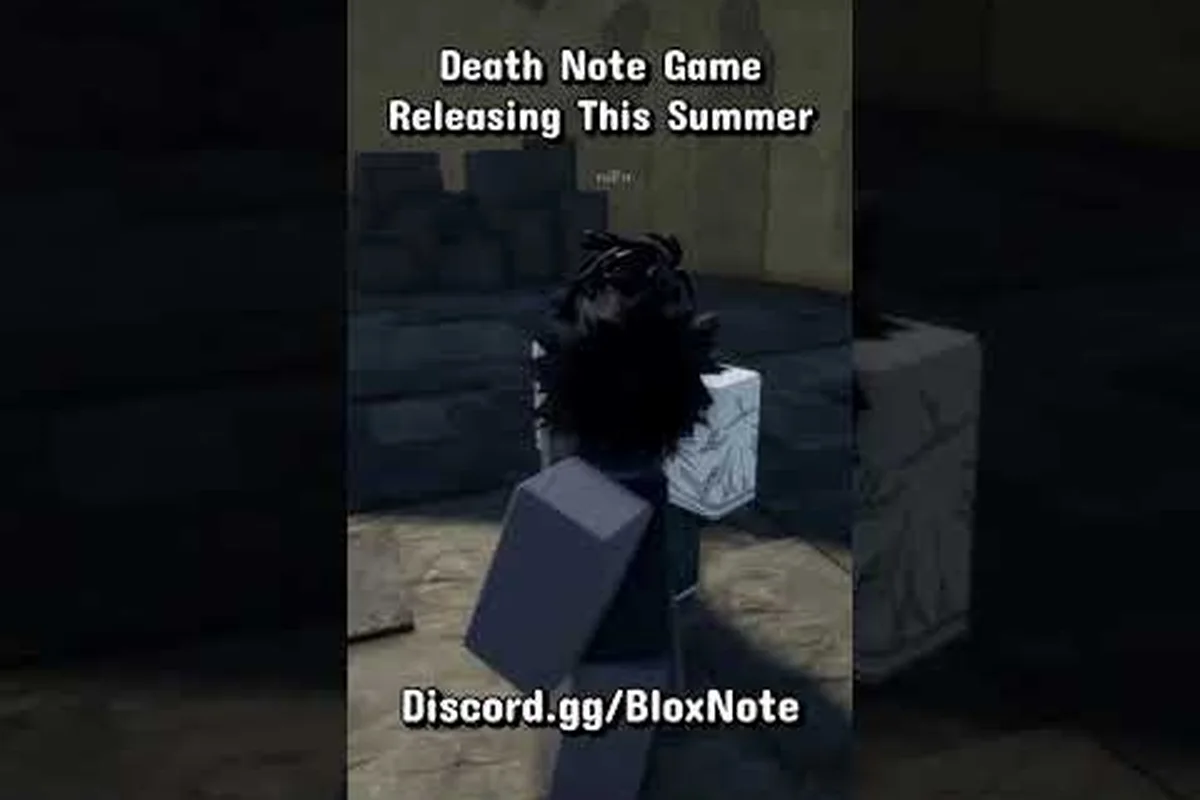
BloxNote drops you into a 13-player social deduction round inspired by Death Note, and a solid BloxNote tutorial can be the difference between surviving the meeting vote and getting written out of the lobby. This walkthrough walks a brand-new player from the first role reveal through shared tasks, ID checks, and the moment a name hits the notebook, with the same numbers the community has been reporting since the September 4, 2026 release. Whether you queue up solo or with two friends on a console, learning the loop in order is the fastest way to stop dying on day one.
BloxNote Basics: What the Game Actually Is
BloxNote is a Roblox social deduction title from the group fearless horror games, released on September 4, 2026, with the most recent patch landing on September 12, 2026 at version v0.1. According to the official BloxNote page on Roblox, the game is labeled Survival / 1 vs All and supports PC, console, and mobile on the same server. The current rating sits at 89.4% positive from about 1,663 community votes, and the Roblox catalog already shows 320,340 visits, 5,529 favorites, and roughly 1,431 concurrent players at peak.
Every match runs with a hard cap of 13 players per server, which is much smaller than Among Us's 15 and means every single death is visible to the entire lobby. The round loop is short, the meetings are loud, and the role reveals are the only reliable signal you will get all game, so a quick read of the table below keeps everyone honest about what the matchmaking screen is actually promising.
| Server Attribute | BloxNote Value | Why It Matters for New Players |
|---|---|---|
| Player Cap | 13 per server | One death is roughly 7-8% of the lobby, so the meeting pressure ramps fast. |
| Supported Platforms | PC, Mac, iOS, Android, Xbox, PlayStation | Cross-play means your keyboard is matched against a controller. |
| Release Date | September 4, 2026 | Only weeks old, so patches can shift numbers quickly. |
| Latest Patch | September 12, 2026 (v0.1) | Anti-cheat tightened; expect bans for exploiters. |
| Community Rating | 89.4% positive (1,663 votes) | Solid for an early-access social deduction title. |
| Visits | 320,340 (snapshot) | Niche but growing; queue times are still short. |
The Four Roles at a Glance
Each round hands every player one of four role cards: Kira, Kira Follower, Investigator, or Civilian. The Kira is the 1 vs All killer holding the Death Note, the Kira Follower is a knowing accomplice who trades their own survival for the kill count, the Investigator is a paranoid detective with a limited number of ID checks, and Civilians are the body count who only win by finishing shared tasks and ejecting the killers at a meeting. The roles are seeded in roughly a 1 / 1 / 1 / 10 split for a full 13-player server, which means in any given lobby you can expect one Kira, one Follower, one Investigator, and ten Civilians on average, though small servers simply skip the Follower slot.
Why the Early Rounds Feel So Fast
A common complaint in community threads is that new players feel like they blink and the round is over. That is by design: a Kira can write a name as soon as the role card is confirmed, and an ID check that lands on the right face can flip a meeting in under ninety seconds. The BloxNote tutorial loop has to teach both the slow side (tasks, meeting rhetoric) and the fast side (instant kill windows) in the same five-minute round, which is why understanding the role order matters more than memorizing the map.
BloxNote Controls and First-Join Setup
Before you read a single task prompt, the game wants you to know how to move, look, interact, and — on PC — chat without flooding the lobby. The current controls are mirrored almost exactly from Among Us because the game is built on a similar input layer, and the cross-play default assumes a controller on console and a keyboard + mouse on PC. If you want the full keybind sheet with mobile swipes and console bindings, the dedicated BloxNote PC controls guide breaks down every button in detail, but the table below is enough to get you through the first three rounds without fumbling the meeting button.
| Platform | Move | Look | Interact / Task | Meeting / Report | Notebook / Special |
|---|---|---|---|---|---|
| PC (Keyboard) | WASD | Mouse | E | R (Report) / F (Emergency) | Q (Open Notebook) |
| PC (Keyboard Alt) | Arrow Keys | Mouse | Space | R | Q |
| Mobile | Left Joystick | Right Joystick | Tap icon | Tap Report button | Tap Notebook |
| Console (Xbox / PlayStation) | Left Stick | Right Stick | A / Cross | Y / Triangle | LB / L1 |
Spawn-In Checklist
The very first thing every BloxNote tutorial should drill is what to do in the role reveal screen, because that is the only moment you get private information. Read the card fully before you accept, then look at the meeting timer in the upper left and decide between two paths: either sprint to a task board and start a fake-tasking chain, or peel away from the group to grab a quiet ID check on the next investigator. The fastest deaths in week one came from players who accepted the card, immediately ran into the crowd, and accidentally grouped with a Kira in the first ten seconds, so resist the urge to chase someone on round one.
A second tip that veterans repeat in nearly every BloxNote tips thread is to bind the meeting button to a finger that is not your movement finger. The R key on PC and the Y / Triangle button on console are deliberately placed far from the movement stick so a panicked double-tap does not drag you into a wall. The emergency meeting cooldown in the current v0.1 build is 30 seconds, which means a single bad press costs you nearly half a task window.
The Role Reveal and the First Thirty Seconds
Once the round actually loads, you have a very tight window to absorb your role card and pick a direction. The role card tells you your alignment, your win condition, and any cooldowns on your special action, so treat it like a briefing, not a loading screen tip. The community has mapped out the role economy fairly well across creator videos, including the Daytra BloxNote walkthrough and the Insaina best Death Note game review, and both creators emphasize the same lesson: the first thirty seconds set the tone for the entire meeting cycle.
Kira Priorities in Your First Tutorial Rounds
If you are Kira, the single most important BloxNote tip is to write a name that is far away from your current position so the kill animation does not draw a crowd. The notebook currently resolves kills in roughly 10-15 seconds after a name is written, and the death ping is global, so writing a name on the opposite side of the map gives you clean separation. The Kira Follower should stay in the middle of a Civilian pack, mimic task behavior, and never volunteer to call a meeting; the role wins by hiding, not by leading.
Investigator and Civilian Priorities
If you are the Investigator, you get a limited number of ID checks per round (typically 2-3), and each check takes about 5 seconds of standing still. Use them on the players you see alone, not on the crowd, and never burn both checks in the first half of the round. Civilians should look for a task map guide in the lobby and pick a single high-traffic task they can chain; faking tasks is a tactic worth learning, but it only works after you have memorized at least one real task timing so you do not mis-call a bar.
Shared Tasks, Fake Tasks, and the Task Meter
The Civilian win condition runs through the shared task meter that fills every time a player completes a legitimate task. Hitting the meter threshold forces a victory for the Civilian side, which is the main pressure tool the lobby has against the killers. Each round seeds a mix of short tasks (10-20 seconds), medium tasks (20-40 seconds), and long tasks (40-60 seconds), and the meter scales to the number of living players so a 13-player server needs noticeably more completed tasks than a 6-player one. The full task timing table, including the best fakes for new players, lives in the BloxNote task tips deep dive.
| Task Type | Average Time | Best Use Case | Fake Difficulty |
|---|---|---|---|
| Short (button mash) | 10-20 sec | Starting a fake chain near a crowd | Easy |
| Medium (route + input) | 20-40 sec | Filling the meter quickly as a Civilian | Medium |
| Long (multi-step puzzle) | 40-60 sec | Buying solo time for an Investigator check | Hard |
| Co-op (two players) | 30-50 sec | Forcing a Kira to either help or expose | Easy to fake solo |
Reading the Meter in Real Time
The task meter has three color states that the community has cataloged since launch: green when the round is in early stages, yellow when the Civilian side is close to threshold, and red when a single completed task could end the round. Most Kira players in community clips will not write a name during a red meter state because a single dead body becomes the meeting trigger that flips the lobby. Watch the meter as carefully as you watch the kill list; both are leading indicators of who is going to call a meeting next.
The Meeting Vote: Reading the Room and Surviving
Meetings are the loudest moment in any BloxNote walkthrough, and they are where most rounds are actually decided. A meeting triggers on three conditions: a body is reported, the emergency meeting button is pressed (30-second cooldown, capped at one press per player per round unless cooldowns shift), or the Kira uses a special note to call one. Once the lobby is in the meeting, every living player gets 60 seconds of discussion time followed by a 15-second vote in which the player with the most votes is ejected.
Pre-Vote Signals to Watch
Before the timer even runs out, look for three signals: the player who stayed suspiciously silent, the player who changed their alibi mid-discussion, and the player who skipped voting entirely. Skipped votes on PC show up in the chat log as a gray "SKIP" line, and on mobile / console they appear as a small "—" icon, so pay attention to the bottom of the screen rather than the speaker. The BloxNote role selection breakdown goes deeper into which role tends to skip under pressure, but the short version is: Kira Followers often skip to look passive, Investigators rarely skip because they want to push a known lead, and Civilians who skip are usually the impersonators.
The Ejection Math
The lobby needs a simple majority to eject someone, which on a 13-player server means 7 votes at full health, dropping by one vote for every player who dies or disconnects. Because the player cap is so low, a single early kill can swing a meeting by two full votes, which is why Kira players often write the most vocal Civilian first. New players make the mistake of voting with the loudest voice; the smarter play is to vote with the player who gave the most specific alibi, because vague alibis are how Kira Followers survive a 6-6 split.
BloxNote Tips: General Strategy and Endgame Scenarios
Once you have the basics down, the BloxNote tips that separate a 50% winrate from a 70% winrate come down to three habits: predicting meetings before they happen, tracking who was alone with the body, and ending rounds with a vote, not a kill. The first habit trains you to read the meter color and the emergency cooldown together, the second habit builds the alibi web that wins meetings, and the third habit is the single biggest counter to late-game Kira snowballing. The full role-by-role decision tree, including when to bluff an ID check, belongs in the BloxNote role selection guide, but the table below condenses the most consistent advice from the top creator videos.
| Scenario | Best Action (Civilian) | Best Action (Kira) | Best Action (Investigator) |
|---|---|---|---|
| Round opens green meter | Pair up, start a co-op task | Write a solo name far from the pack | Find the lone player, burn one ID |
| Mid-round yellow meter | Spread out, finish medium tasks | Let the meter stall, do not write yet | Save remaining ID for the meeting |
| Red meter, no bodies | Fake a co-op task to lure a group | Use emergency to break the meter chain | Call meeting, push a name with evidence |
| 4 players left, 1 Kira suspected | Stay visible, vote with alibi | Write the loudest accuser | Burn final ID on the accused |
| 2 players left (1v1) | Run shared task to force a stall | Write the last name fast | N/A — Investigator usually dead by now |
Building a First-Join Routine
The most reliable BloxNote walkthrough is the one you can run while half-watching the lobby, so build a five-step loop you repeat every round: read the role card, check the meter color, look for the nearest co-op task, memorize one alibi in case of an emergency, and finally position yourself in the middle of a group. New players who try to optimize every step end up freezing in the spawn corridor, while players who follow a fixed loop can react in under two seconds when a body drops. The first-join routine also doubles as the getting started guide most beginners search for, and the dedicated BloxNote getting started breakdown covers the same loop with platform-specific spawn notes.
Cross-Platform Quirks
Mobile players in particular should expect roughly 150-200 ms of extra input lag compared to a wired PC, which means emergency meetings called on mobile are slightly easier to dodge. Console players report the cleanest aim for ID checks but the roughest meeting chat because typing with a controller is slow, so most console veterans rely on the quick-chat wheel. The early-access patches have not equalized cross-platform play yet, so if you are queuing solo on PC, expect to face coordinated console duos who can call meetings faster than you can react. The best visual reference for this is BielWtrades' first BloxNote gameplay.
Frequently Asked Questions
How long does a typical BloxNote round last?
Most rounds end in 4-6 minutes, with the absolute fastest being roughly 90 seconds if a Kira writes a name in the spawn corridor and the lobby votes out the wrong person. The longest rounds tend to stall around the 8-minute mark when the task meter is red and both sides refuse to call a meeting, and the server eventually times out to a Civilian win to keep queue times moving.
Can I switch roles between rounds?
No, roles are assigned randomly at the start of every match and the only way to influence your role is to leave and re-queue, which puts you at the back of the matchmaking pool. The 1 / 1 / 1 / 10 ratio means in a full 13-player server you can expect to see Kira roughly once every 13 rounds, so do not chase the role — learn the Civilian loop first because that is what you will be playing most of the time.
Does the BloxNote tutorial cover mobile controls?
Yes, the first three role-reveal prompts include a short swipe tutorial for mobile players, but the depth is much shallower than the PC keybind list. If you are on iOS or Android, the BloxNote getting started guide covers the extra mobile quirks like virtual stick drift and the report button placement, which the in-game tutorial skips.
What happens if a player disconnects mid-round?
Disconnects are treated as soft deaths for vote math — the lobby continues at the new player count, and the task meter scales down automatically. The emergency meeting cooldown does not refresh, so a rage-quit mid-meeting can actually lock both teams out of a follow-up meeting for the rest of the round, which is why most Kira players would rather have a hostile player stay connected than quit and stall the vote.
Is cheating bannable in BloxNote?
Yes, the official Roblox page states that any form of cheating results in a permanent ban at the account level, and the September 12 patch tightened the anti-cheat scan to flag teleport scripts and instant-write exploits. Community reports suggest the first wave of bans went out within 48 hours of the patch, so do not install any third-party scripts even if a YouTube tutorial claims they are "undetected" — the detection window is shorter than the upload-to-ban turnaround.